
Your business WhatsApp, answered by the whole team.
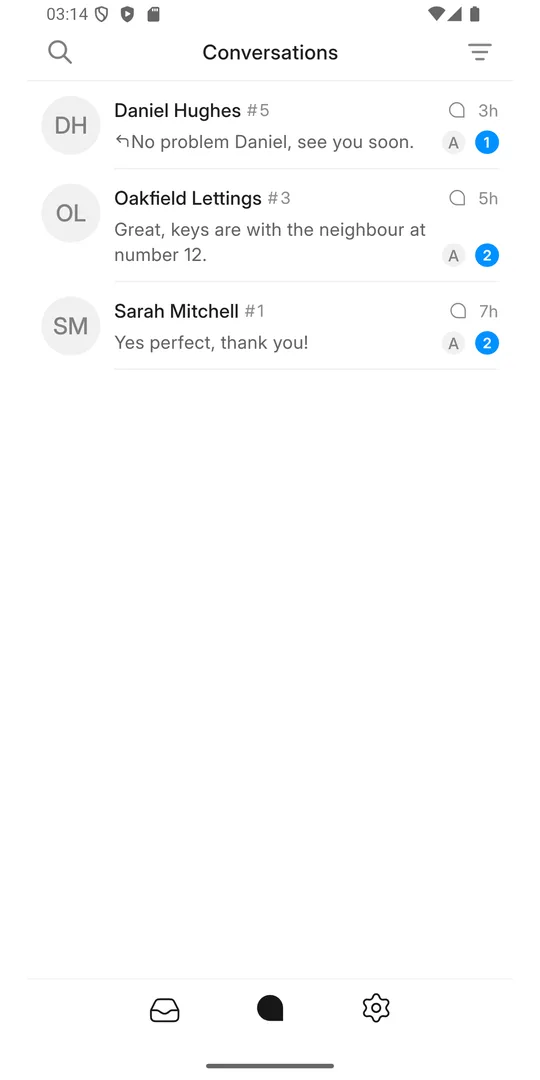
Dynamik Messenger is the phone app for your business's shared inbox. Every WhatsApp and text message your customers send to your business number lands in one list, and anyone on your team can answer it from their own phone.
What it does for WhatsApp Business
The WhatsApp Business app lives on one phone. Your number in Dynamik Messenger is connected through the WhatsApp Business Platform instead, so it does not belong to a handset: it belongs to the business, and the team shares it.
One number, the whole team
Customers keep writing to the WhatsApp number they already know. Behind it, everyone on your team answers from their own phone, with their own login. No shared handset in the office drawer, no passing a phone around.
Nothing slips through
Every conversation sits in one list with a status. An enquiry that arrives at 8 in the evening is still there in the morning, marked open, until someone answers it.
You can see who said what
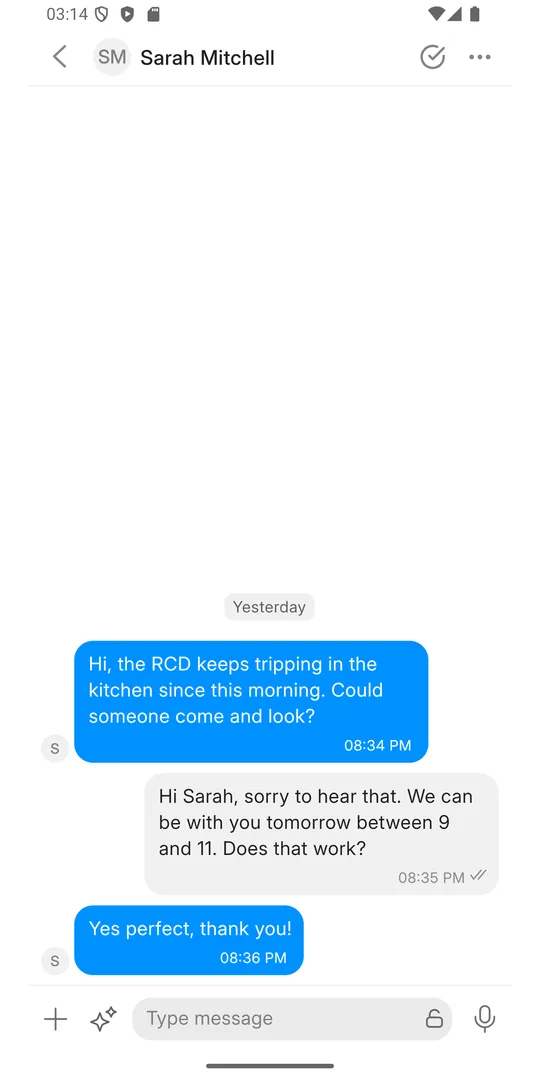
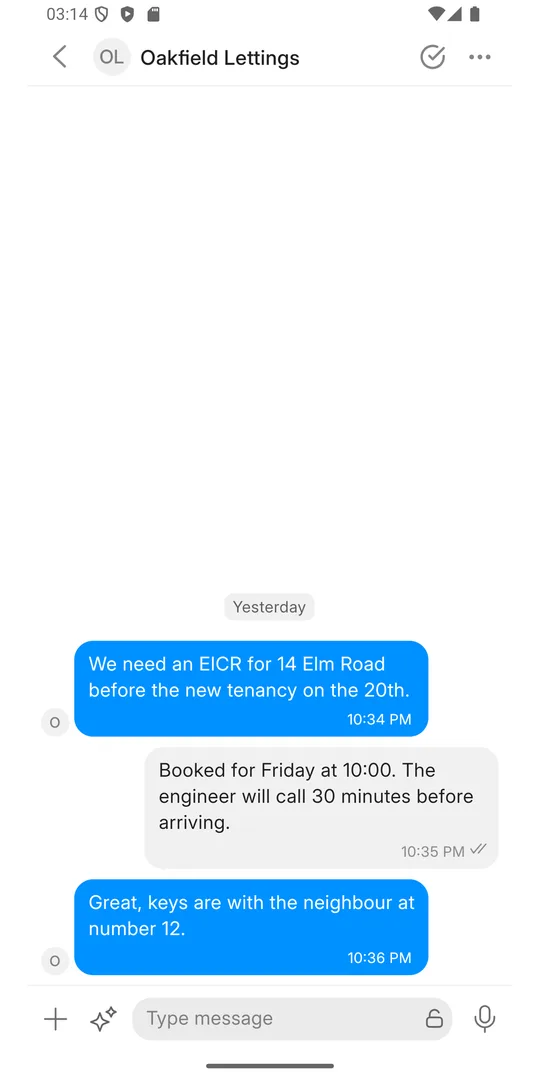
Each reply carries the name of the person who sent it. Handing over between shifts is a note in the conversation, not a phone call.
The history stays with the business
Conversations belong to the business, not to someone's personal phone. When a member of staff leaves, you remove their account and the customer history stays where it is.
Everything you need to answer on the go
The same inbox your office works in on the computer, in your pocket. A reply sent from the phone shows up for everyone straight away.
Push notifications
A new message from a customer reaches the phone straight away, with sound, even when the app is closed.
Assign and hand over
Take a conversation yourself, give it to a colleague or to a team. Everyone sees who is on it.
Open, pending, snoozed, resolved
Every conversation has a status, so the list shows what still needs an answer and nothing else.
Private notes and mentions
Write a note only the team can see and @mention a colleague. The customer never sees it.
Labels and priority
Mark a conversation as a quote, a booking or a complaint, and flag the urgent ones.
Photos, files and voice notes
Send and receive pictures, documents and voice notes, from the camera or the gallery.
Filters and search
Filter by inbox, status or who it is assigned to, and search past conversations.
Contact details
The customer's name, number and labels next to the conversation, and one tap to call them.
Your availability
Set yourself online, busy or offline, so the team knows who can pick up a new message.
How to start
Your business gets an inbox
We connect your WhatsApp Business number, and your text number if you have one, to a shared inbox run by dynamik.app.
Your team is invited
Whoever runs the inbox adds each member of the team. Everyone gets their own sign-in by email.
Install and sign in
Install Dynamik Messenger, sign in with your work email, and new messages start arriving on your phone.
Want it for your business? Write to support@dynamik.app.
Download Dynamik Messenger
The app is on its way to Google Play and the App Store. The links will work here as soon as it is published.